
Home Assistant integration
Home Assistant integration
Home Assistant is an open-source smart home platform for connecting and controlling devices. Imou Open Platform publishes an open-source Imou Home Assistant integration. After you add it, you can live-view, control, and read status for Imou video devices, and extend the integration for more features.
For SaaS, web, and multi-camera dashboard flows, see the Guides. This page covers Home Assistant only.
1. Install Home Assistant
- Deploy Home Assistant using the official installation guide.
- Open the Home Assistant UI in your browser.
- Create an account and sign in.
2. Download and install the Imou component
Get the integration:
- Option 1: Download from GitHub: Imou-OpenPlatform/Imou-Home-Assistant.
- Option 2: Download the Imou Home Assistant archive from Resource download.
Unzip the package and copy custom_components/imou into your Home Assistant config directory under custom_components/imou (create the folder if needed).
3. Add the integration in Home Assistant
In Home Assistant, go to Settings → Devices & services → Integrations.
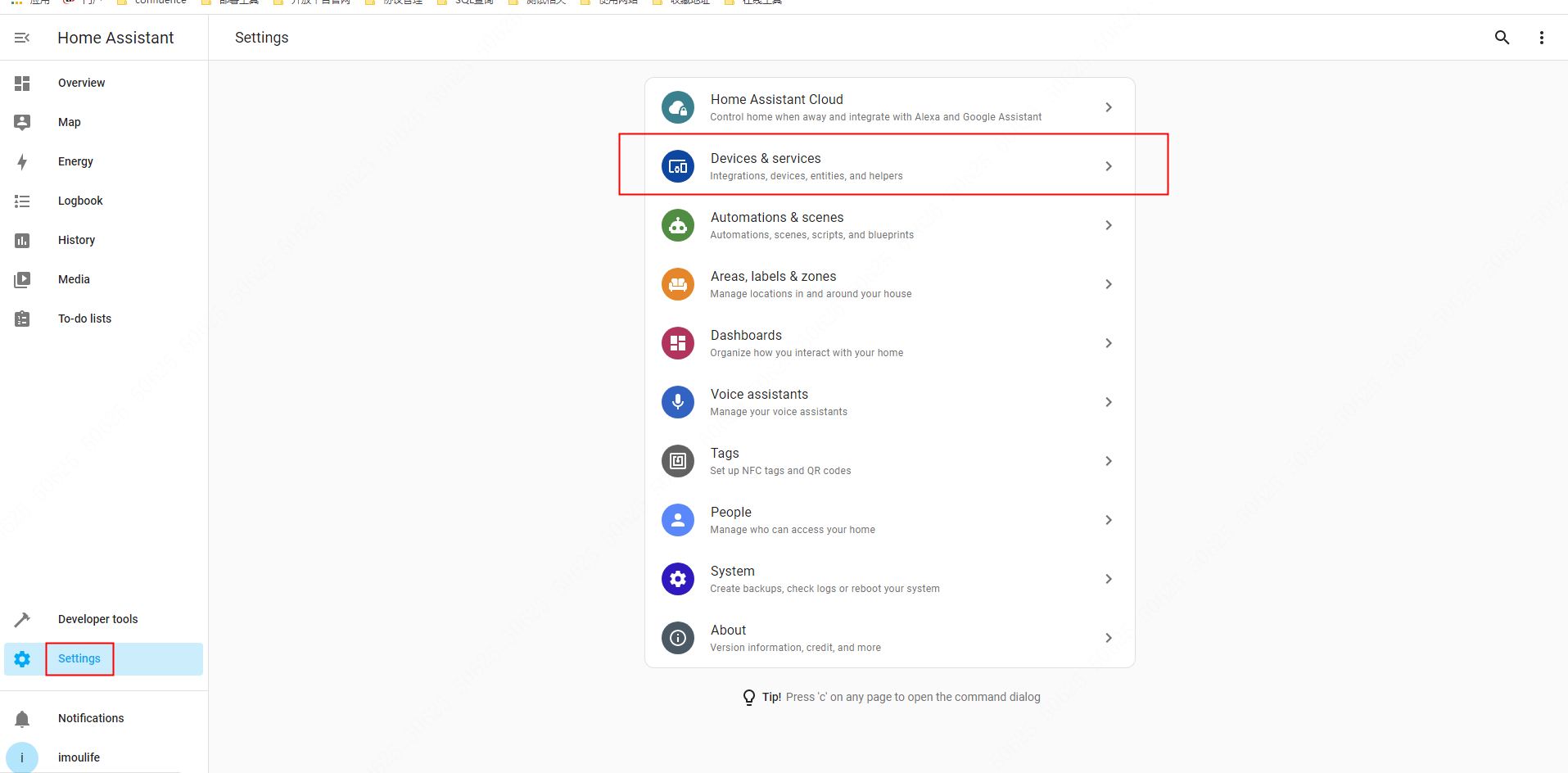
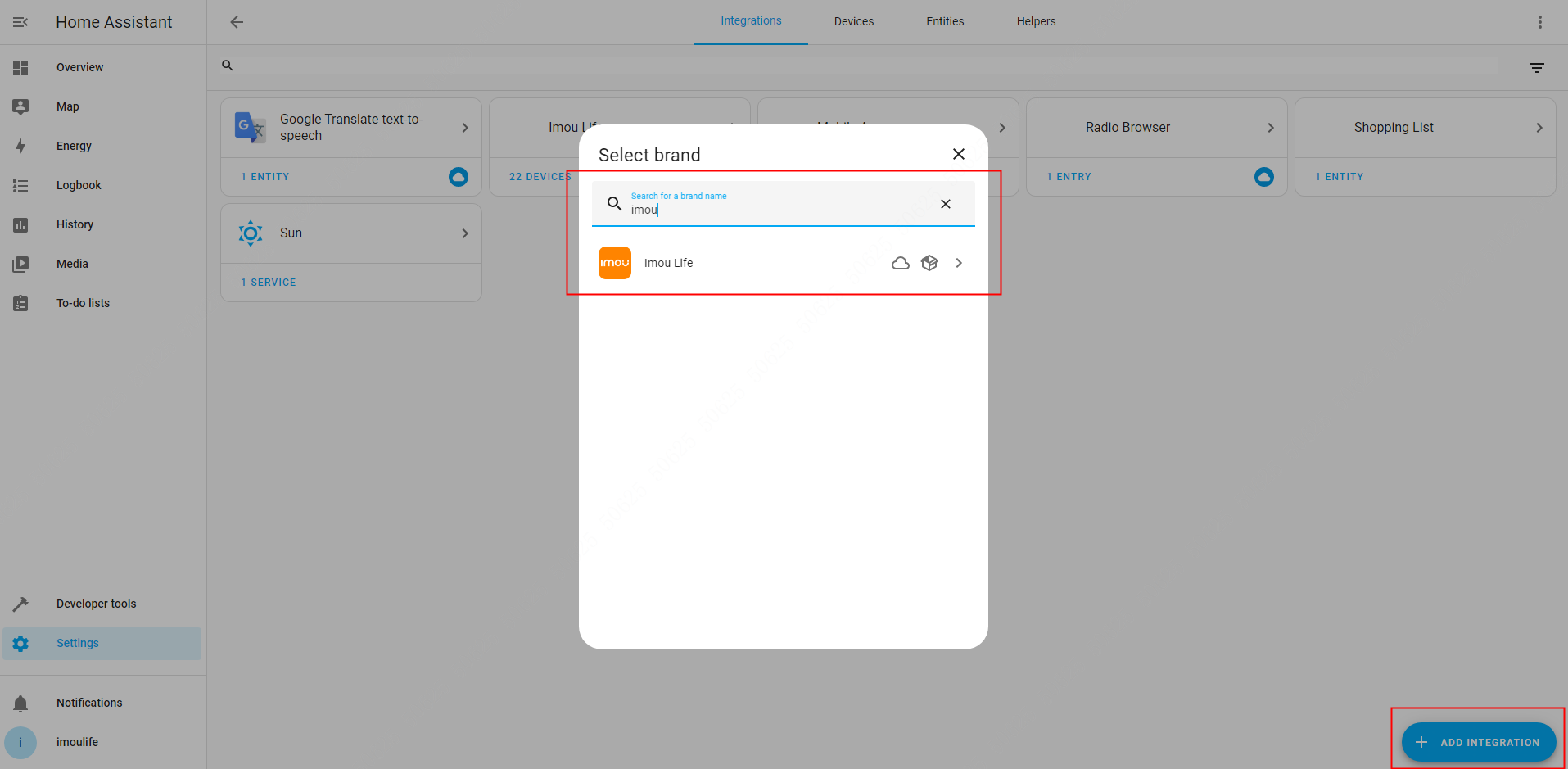
Click Add integration, search for Imou, and select Imou Life.
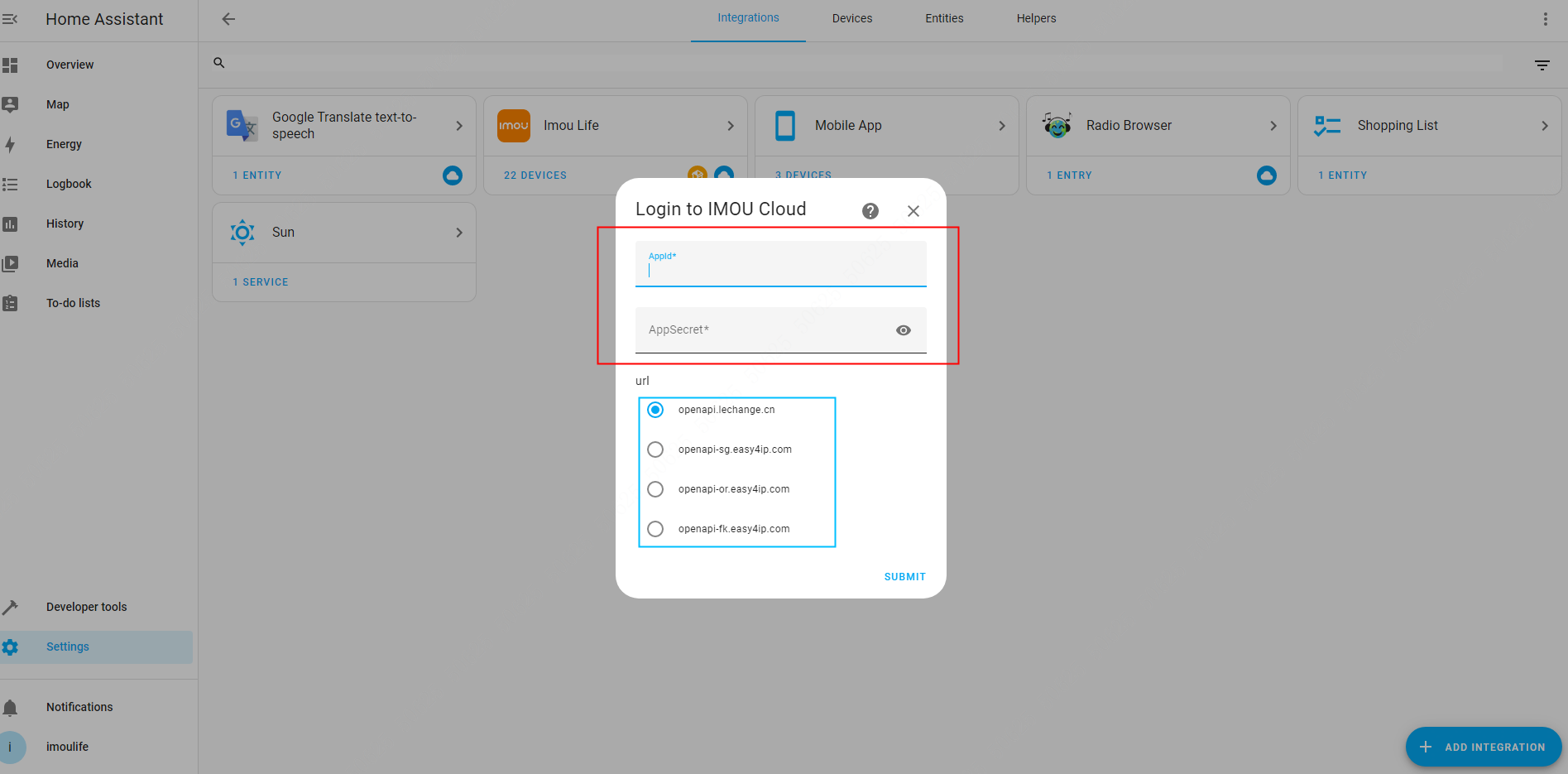
Enter your AppId and AppSecret (from Console · App information), choose the API domain that matches your data center, and click Submit. A success message means the integration is ready.
See HTTP development specification §1 for domain names.
openapi.lechange.cnis for China; overseas developers should use the easy4ip domains listed there.
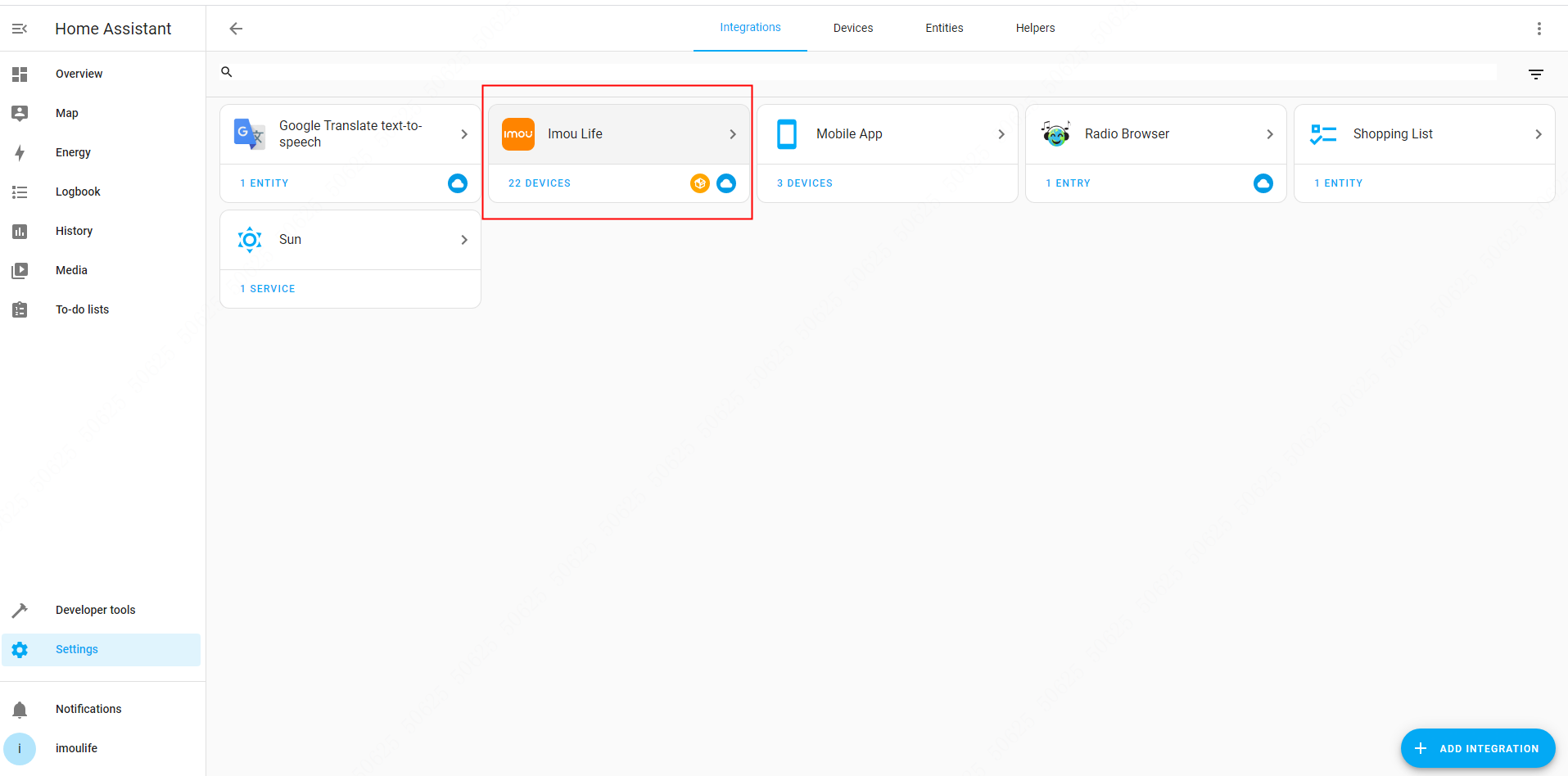
- Open Imou Life in the integration list to see devices under your account.
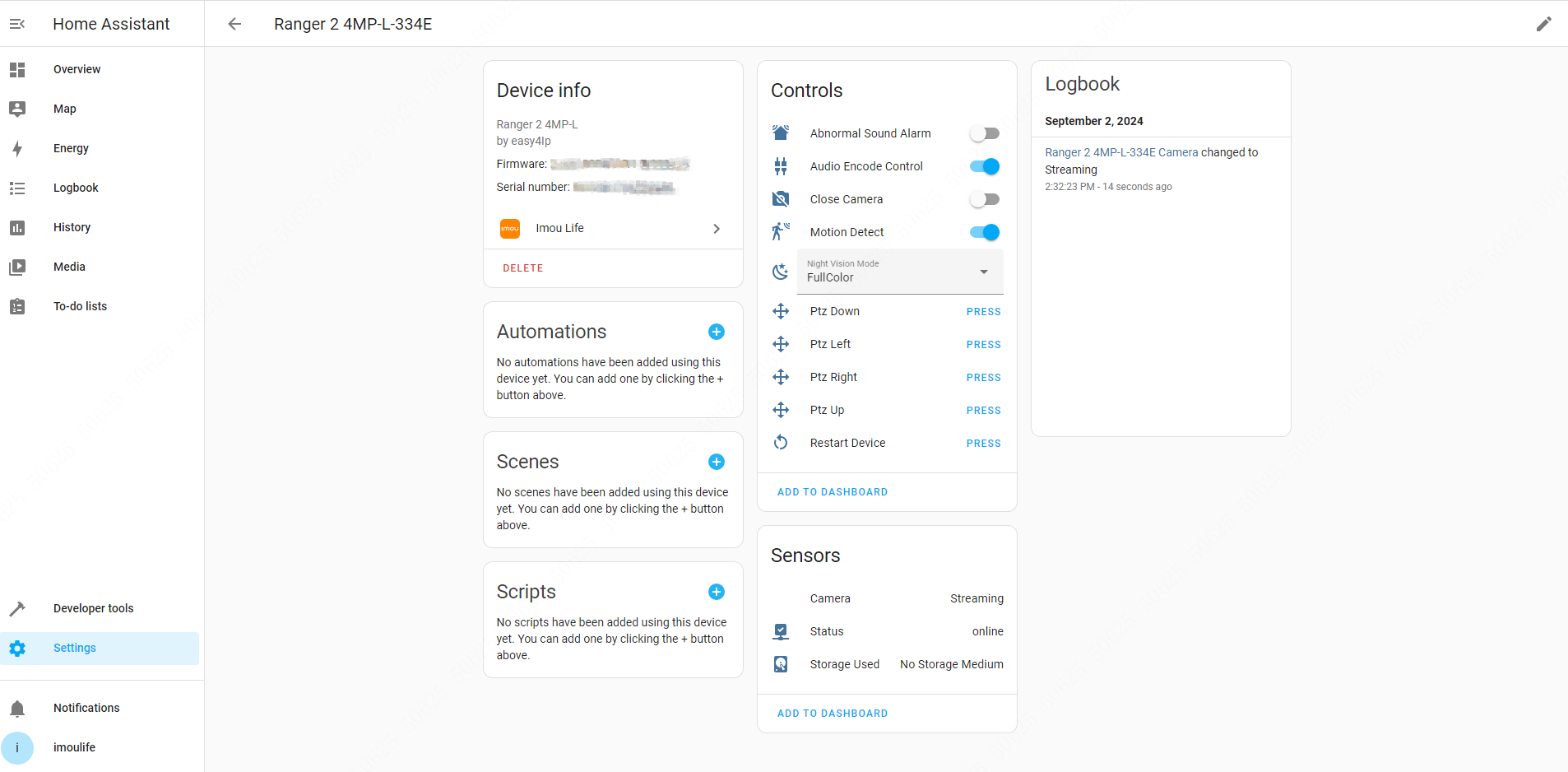
- See the GitHub repository above to extend device features.