Postman Interface Simulation Call for API Development - Imou Open Platform
postman interface simulation call
1. Download and install Postman
Postman is a powerful Chrome plug-in for web page debugging and sending web page HTTP requests.
Portal: https://www.jianshu.com/p/0c247b351f08
It is recommended to download the latest postman installation package for installation.
2. import Lecheng api interface package and environment
After installing Postman, import the "Lecheng Open Platform api interface docking.postman_collection.json" file in Lecheng api interface package
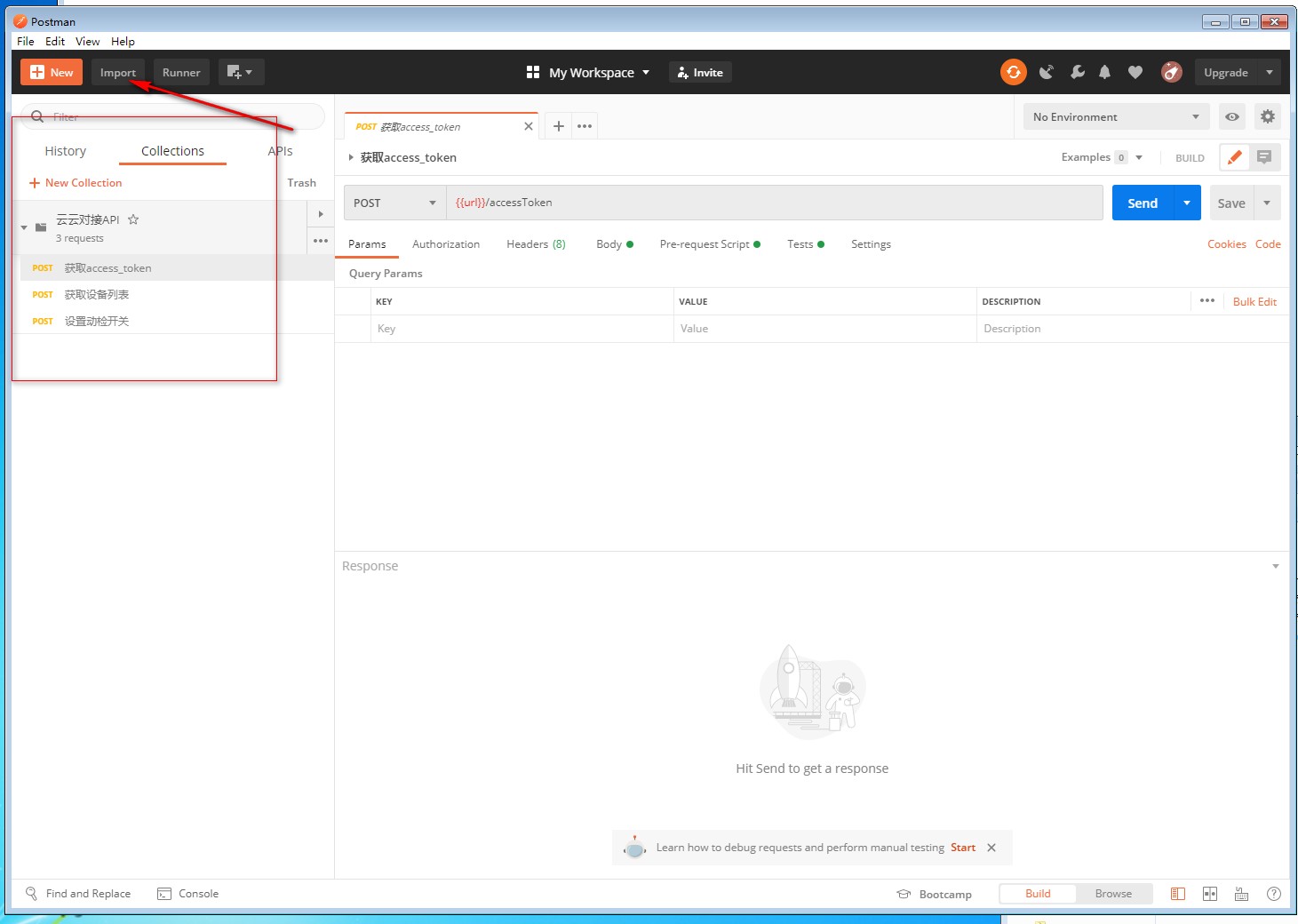
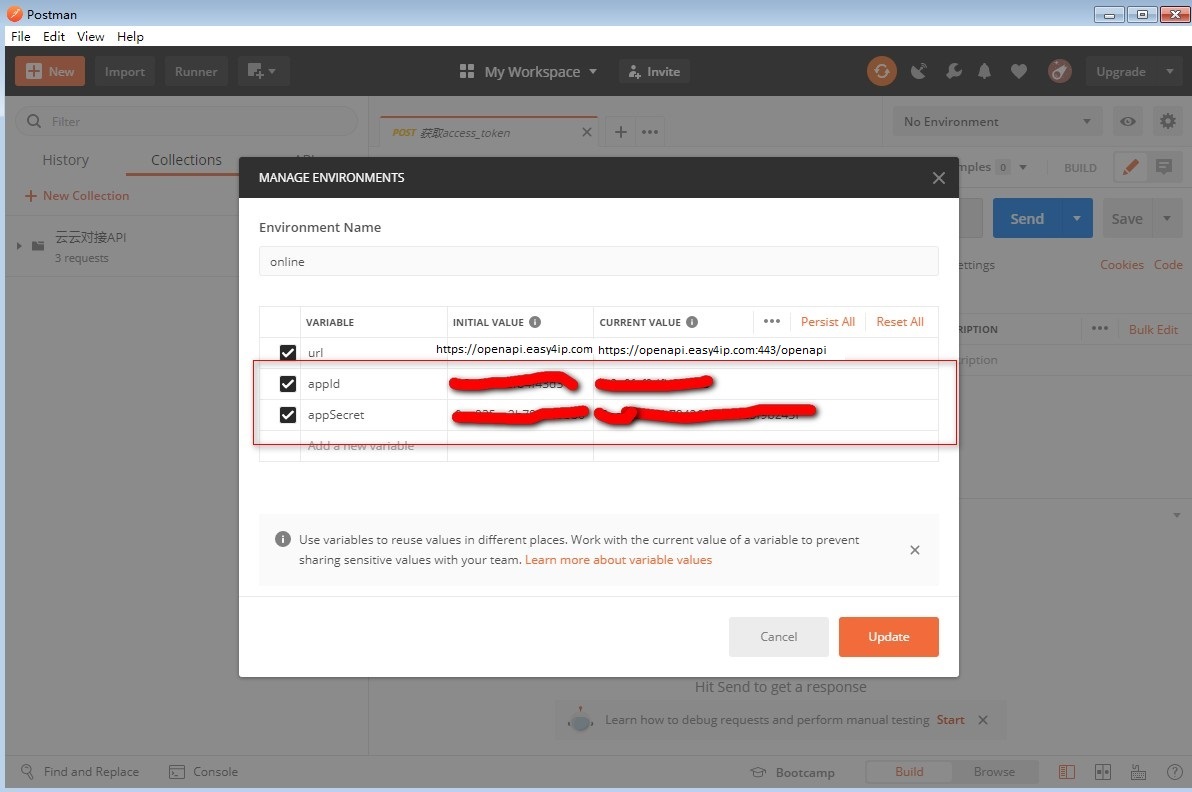
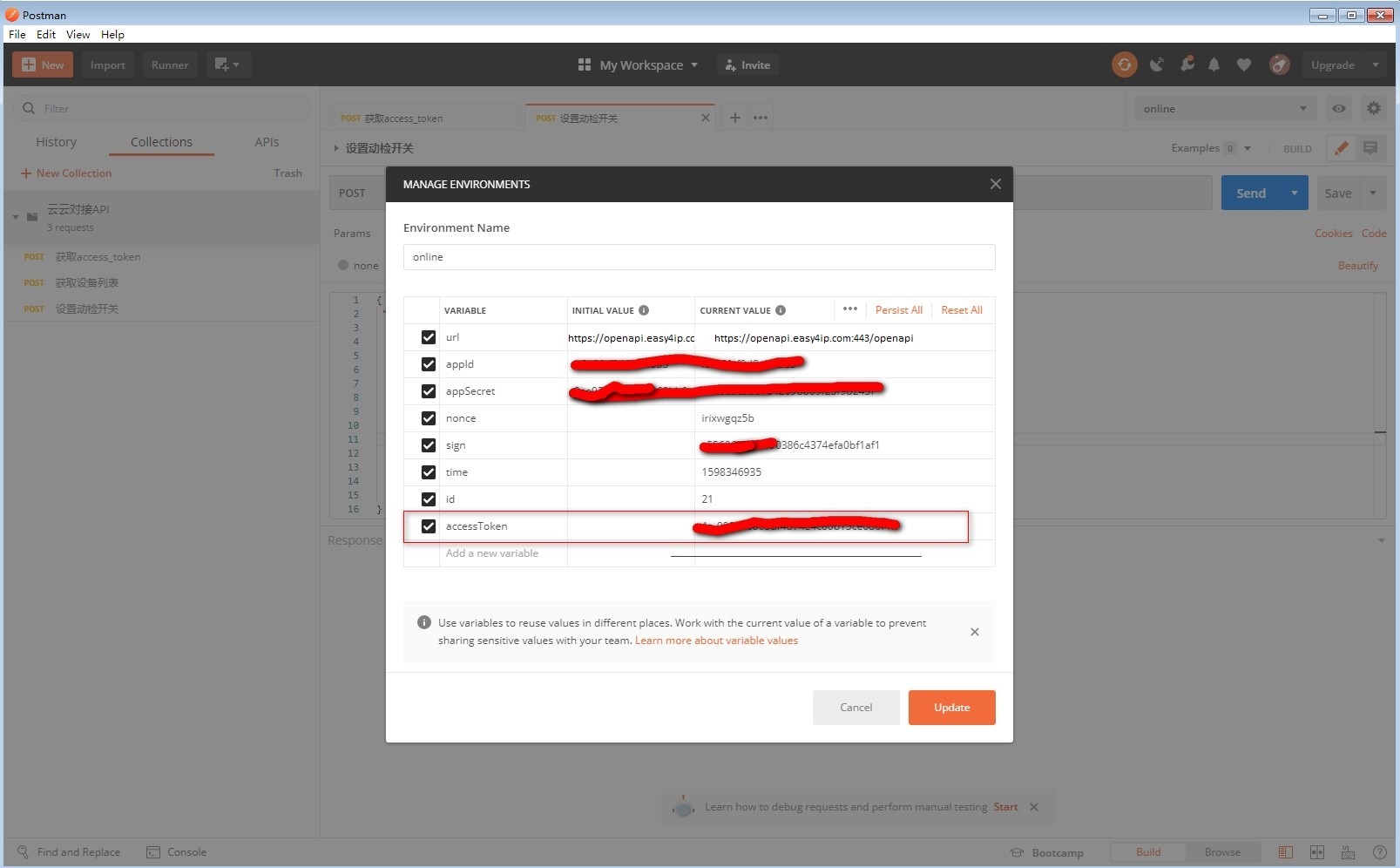
Import the environment variable file "online.postman_environment.json" and set the appId and appSecret values.


3. call interface example
Call the "Get accessToken" interface first, and the latest accessToken will be automatically set to the environment variable after successful acquisition.
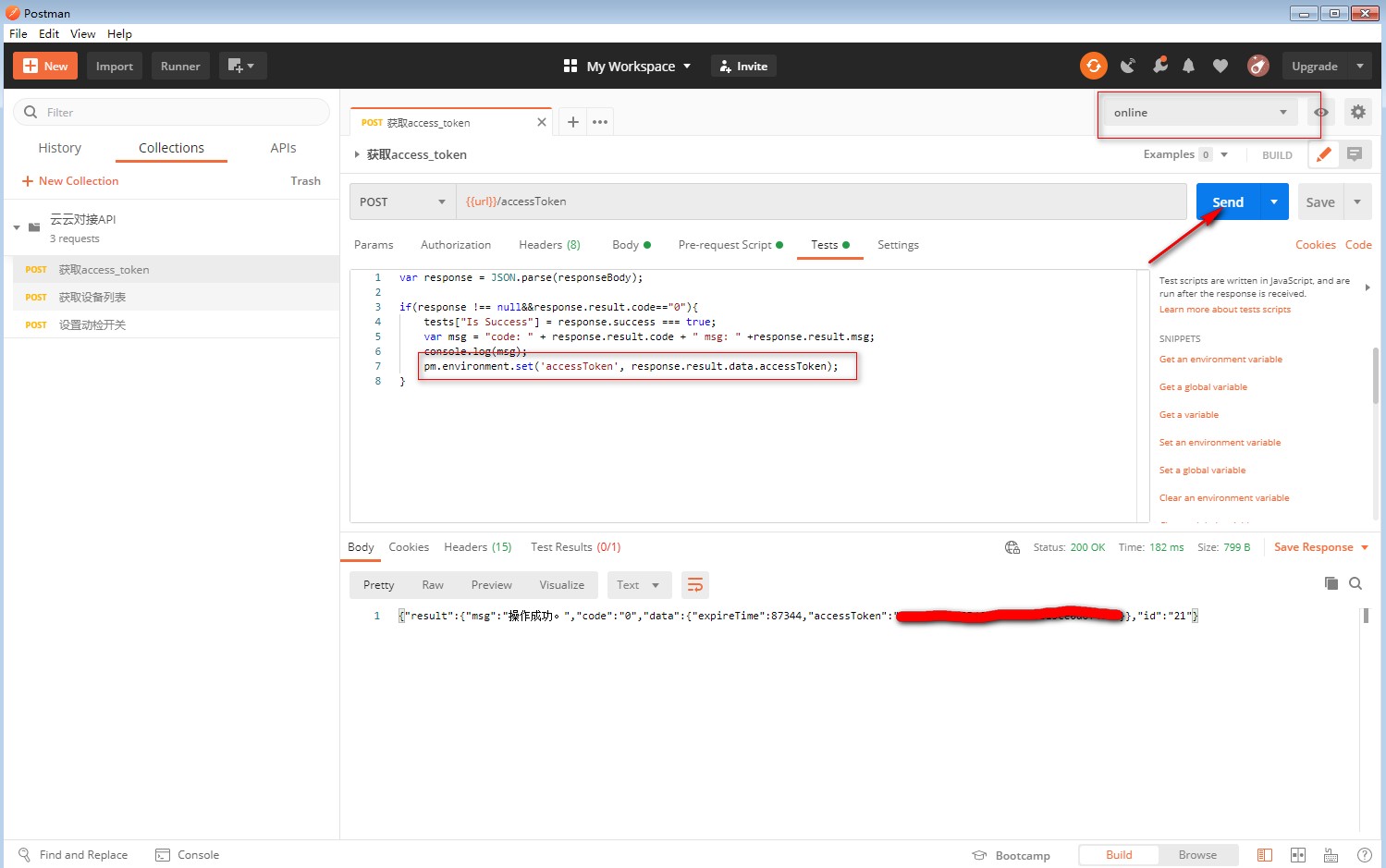
Call the "Get Device List" interface.
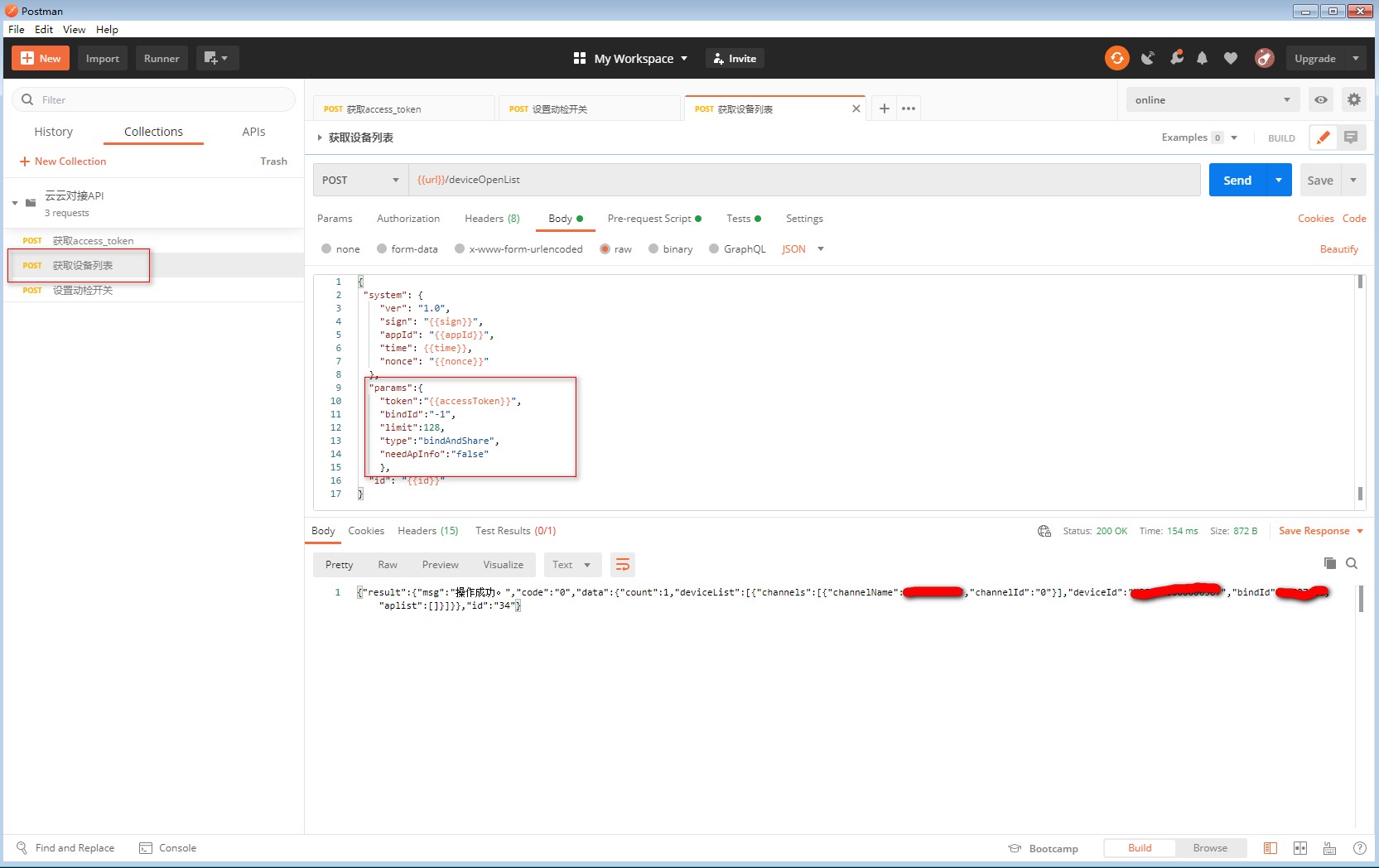
4、request other interfaces
Currently, some interface request examples are provided. Developers can copy existing protocols, modify interface URLs and parameters to generate other API interfaces.
Copy current interface: 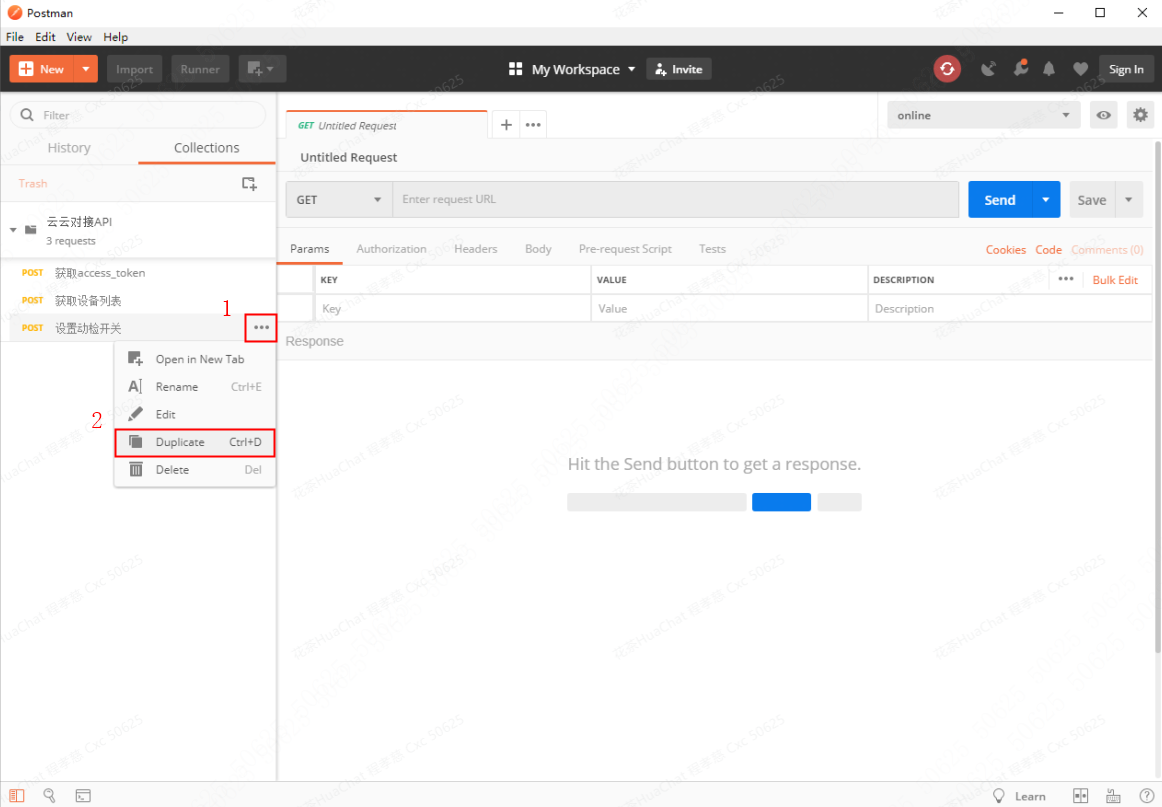
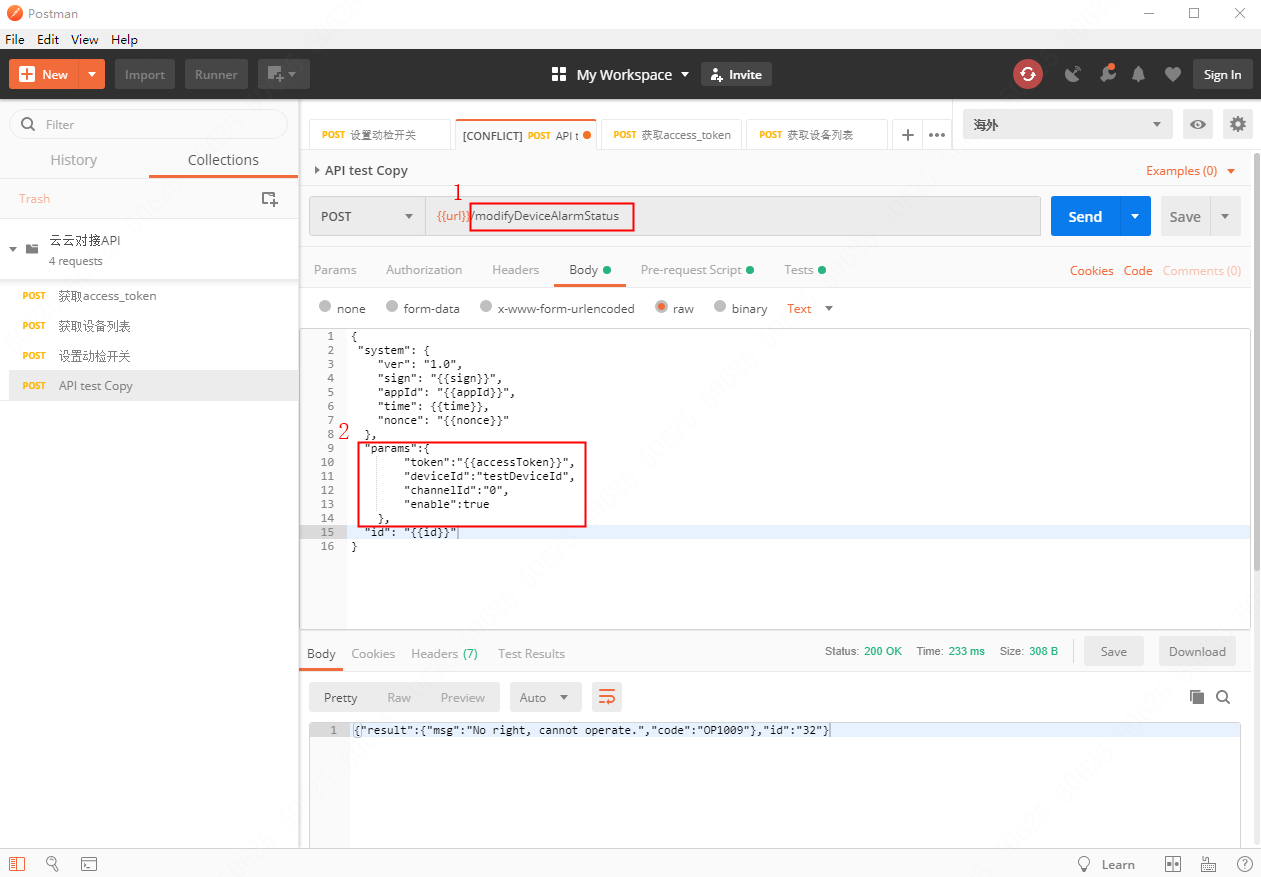
Modify to the new interface URL and interface parameters in the copied example to request the new interface: