
Application Development Guide for IP Cameras - Imou Open Platform
Application development
Developers use cloud-to-cloud connection to connect to the open platform. The overall architecture is as follows:
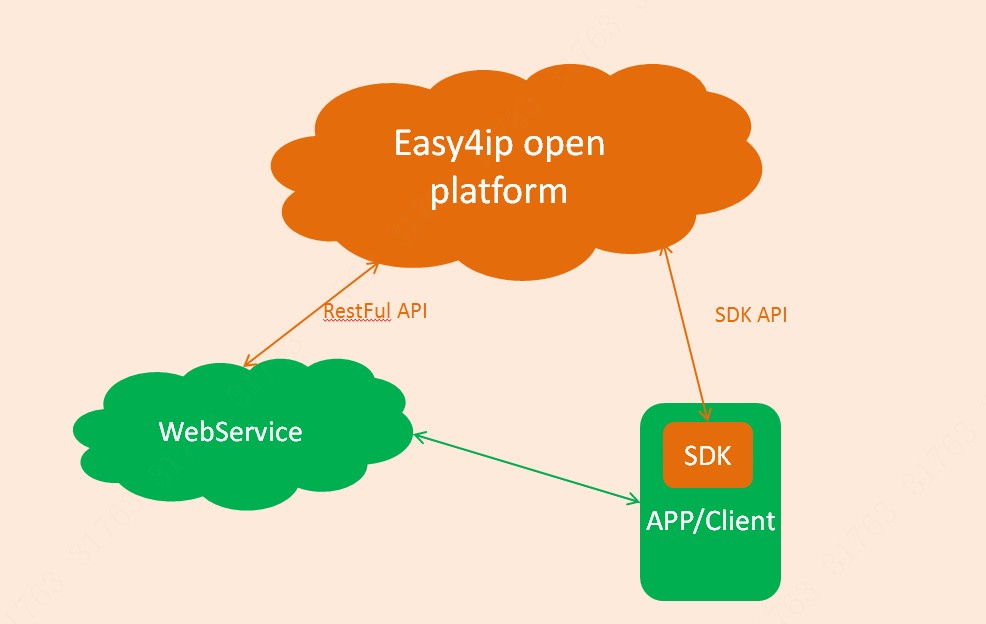
The realization of equipment network configuration, equipment initialization, audio and video playback related functions can directly refer to DEMO, and use the client SDK to complete the docking.
Account binding, device binding/unbinding, device management, device operation, cloud storage management, alarm message management and other functions other than [device network configuration, device initialization, audio and video playback, picture decryption], developers are recommended to go directly through the background The service calls the open platform HTTP interface implementation.
Based on the development of the four core functions of "obtain token-device binding-device list acquisition-video preview", it introduces the implementation of application development for developers.
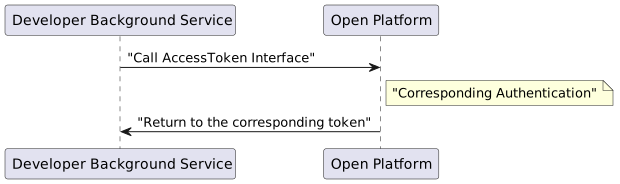
1.Get Token
The opener calls the open platform through the background service to obtain the token,the specific process is as follows:
2.Device binding
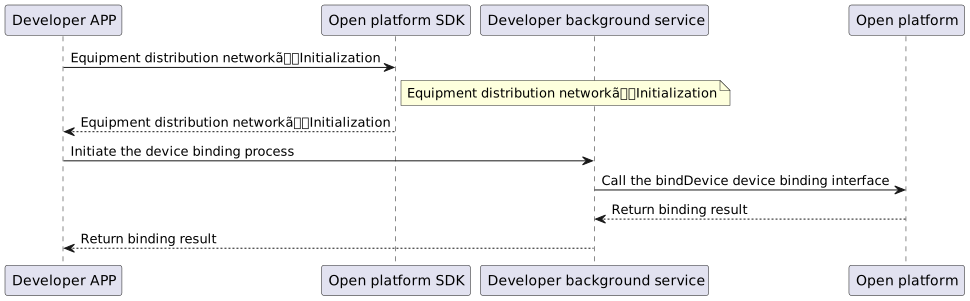
The Open Platform attaches great importance to the privacy and security of Lecheng equipment. The existing security level of Lecheng equipment has been upgraded by another level, so subsequent new equipment (or old equipment upgraded to new programs) may exist It is not possible to directly complete the device binding operation by calling the HTTP interface (bindDevice), so the developer needs to complete the binding operation in conjunction with the client SDK.
In addition, device binding involves multiple processes. According to different device versions, the binding process is also different. The device binding process is described in detail in the client SDK DEMO. Developers can use it as a reference. The process is briefly summarized as follows Show:
3.Sub-account authorization
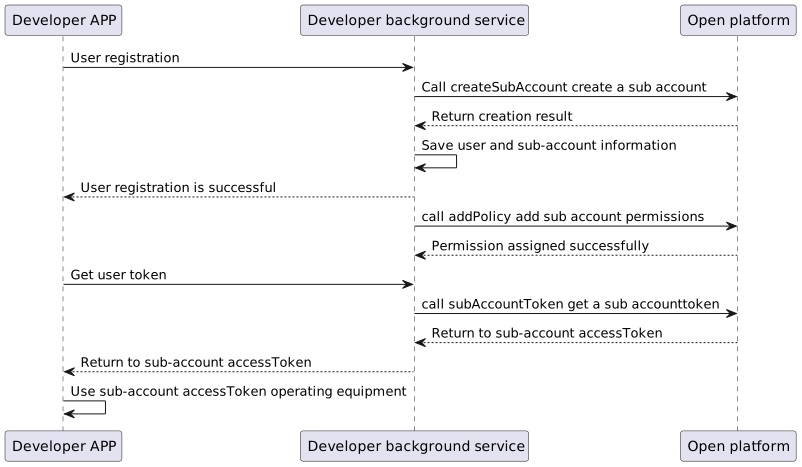
The easy4ip Open Platform provides the ability to allocate and manage device permissions. Create multiple sub-accounts through an administrator account, and then allocate device resources and permissions to each sub-account, and each sub-account is associated with a user in the developer's application.
A brief summary of the process is as follows:
4. Get device list
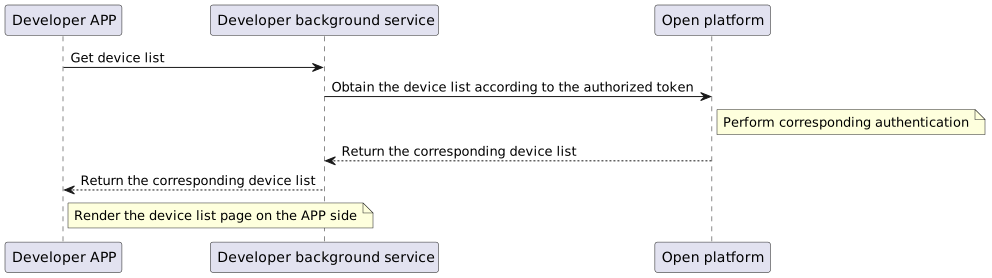
After the device is successfully bound, the device and the account have completed the account binding. Call the relevant interface in "Device Query" to get the device list, the specific process is as follows:
5. Video preview
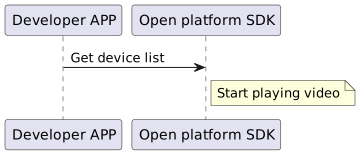
The video preview function does not need to call the open platform HTTP interface. Developers only need to call the open SDK embedded in the application to complete the video playback. For the specific playback implementation, please refer to the SDK instructions and the implementation in DEMO. The simple process is described as follows:
After the device is successfully bound, the device and the account have completed the account binding. Call the relevant interface in "Device Management" to get the device list, the specific process is as follows:
 ~1UDhZvUBbKd99BKlDoIz8BL9m30XGqhLJyYz8pLCeo4aiISilobK8Tl5Mib9mJorHI4ajoqnELSZ9B2xXvVBBBqbLACfCpoXHo4zJmAedk2Ing0GaM9cPbwvGbfcIciyBj100My8b1W00)