
Event Message Push Process Guide for Developers - Imou Open Platform
Event message push
Overview
The motion detection alarm, online time of online and offline, and various smart event messages generated by the device under the developer's application can be pushed to the developer's back-end callback address service through the open platform. When the developer's back-end receives the push from the easy4ip open platform After the event message, you can perform subsequent processing, such as pushing it to your own application again. Specifically, complete the setting of alarm callback and the receiving of alarm messages through the following two steps.
Remarks:
For the event message type, please refer to Event Message Type Definition
Refer to Event Message Format Definition for event message format
Set the message callback address
The developer sets the callback address by calling the setMessageCallback interface of the open platform. The callback address is a service target address that can receive external messages in the developer's backend. Subsequent event messages generated by the open platform will push messages in the corresponding format to this callback address.
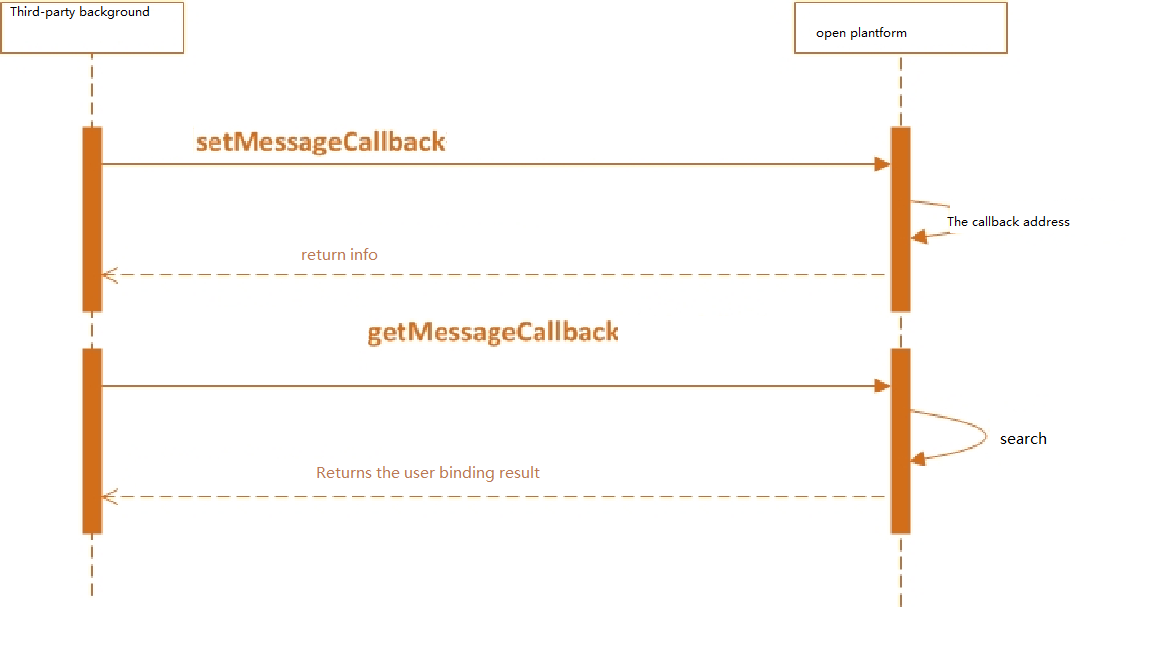
Developers receive messages from the open platform
The open platform pushes various event messages to the developer's back-end callback address. What the developer has to do is to promptly push the message to the app he developed after receiving the message. The specific process is as follows (by motion detection alarm, device offline):
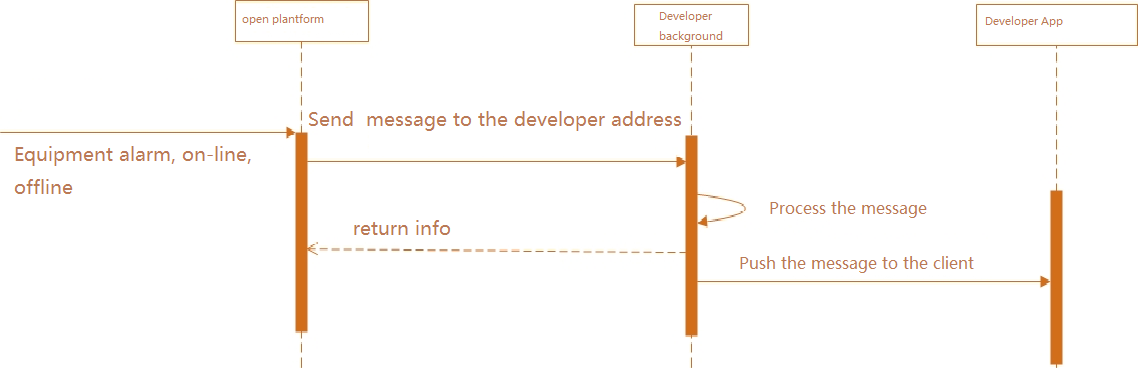
Special attention: After receiving the message pushed by the open platform, the developer's callback service must return a response message of 200. If the open platform finds that the developer's callback service does not return a response multiple times, the open platform will no longer push Message to this callback address.