
Accounts
Accounts
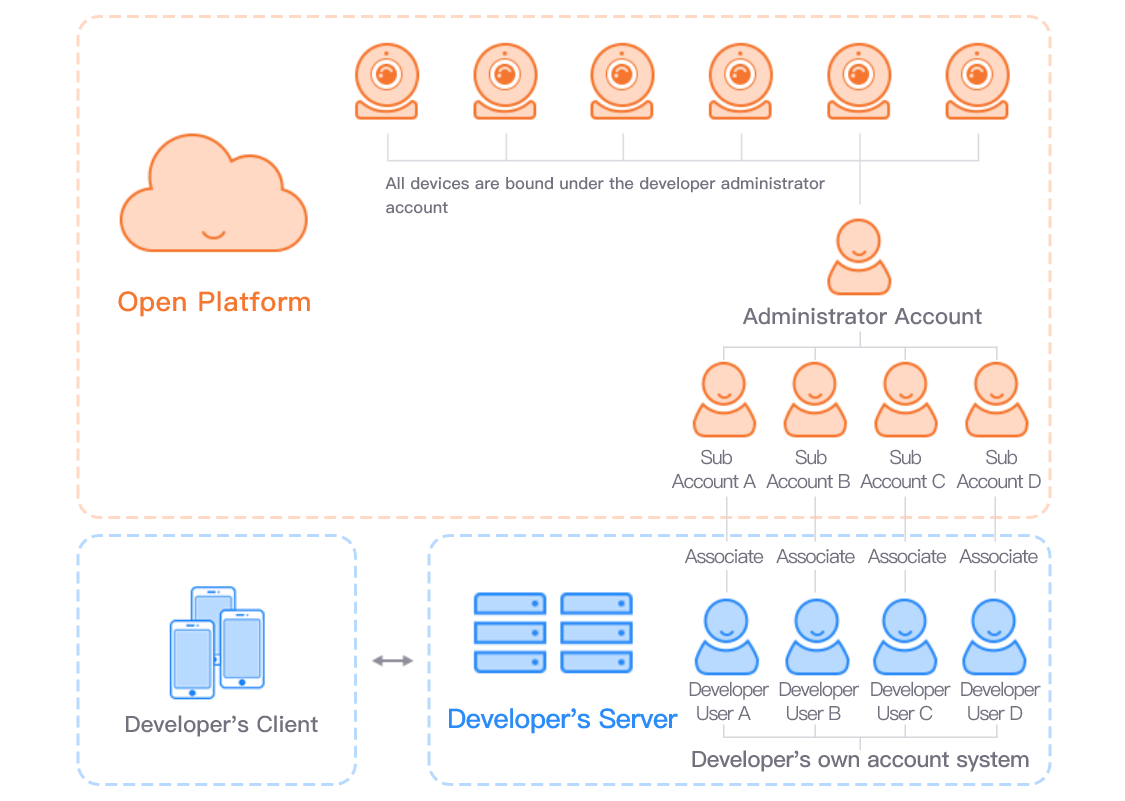
Devices you add on the platform, and the service resources you purchase, belong to your developer account (the easy4ip developer account). You can create sub-accounts and grant them permissions on selected devices. Users in your app then operate devices through the permissions of the matching sub-account.
How it fits together
- Add the device to the developer account.
- The developer creates sub-account A.
- The developer account grants device permissions to sub-account A.
- User A in your app operates the device using sub-account A’s permissions.
Why sub-accounts exist and how policies are evaluated are covered in Sub-accounts and policies. Creating accounts, granting access, and issuing tokens are in Account APIs.