Comprehensive Guide to Application Development for Network Cameras - Imou Open Platform
Application Development
Developers use cloud-to-cloud connection to connect to the open platform. The overall architecture is as follows:
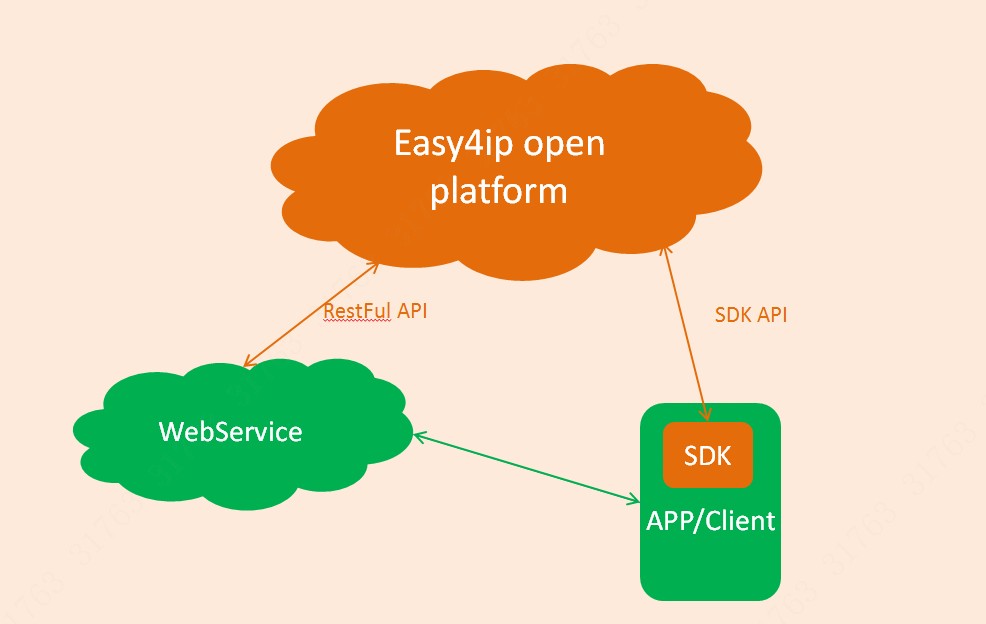
The realization of audio and video playback related functions can directly refer to DEMO, and use the client SDK to complete the docking.
Account binding, device binding/unbinding, device management, device operation, cloud storage management, alarm message management, etc. functions other than [device network configuration, device initialization, audio and video playback, picture decryption], developers are recommended to go directly through the background The service calls the open platform HTTP interface implementation.
Based on the development of the three core functions of "getting token—getting device list—video preview", it introduces the implementation of application development for developers.
1. Get token
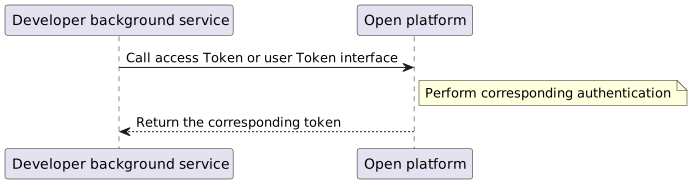
The opener calls the open platform to obtain the token through the background service. The specific process is as follows:
2. Get device list
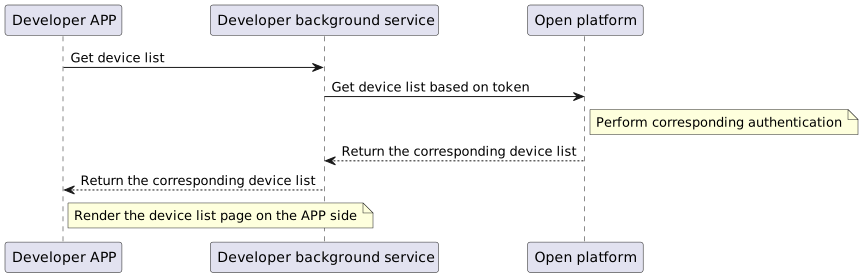
After the device is successfully bound, the device and the account have completed the account binding. Call the relevant interface in "Device Query" to get the device list, the specific process is as follows:
3. Video preview
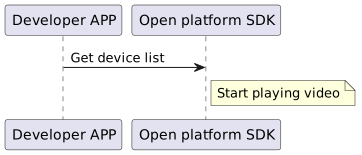
The video preview function does not need to call the open platform HTTP interface. Developers only need to call the open SDK embedded in the application to complete the video playback. For the specific playback implementation, please refer to the SDK instructions and the implementation in DEMO. The simple process is described as follows:
After the device is successfully bound, the device and the account have completed the account binding. Call the relevant interface in "Device Management" to get the device list, the specific process is as follows: