
Build a mobile app
Build a mobile app
Scope and prerequisites
The app reaches the platform through your cloud. Use the client SDK and the demo for provisioning, device initialization, audio and video playback, and image decryption. Call the HTTP APIs from your server for the account, device management other than binding, cloud storage, and alarm queries.
Packages are in Downloads. The Android component is in Android OpenSDK. iOS runs on a device only, not in the simulator, and needs Xcode 9.0 or later. See iOS OpenSDK.
Steps
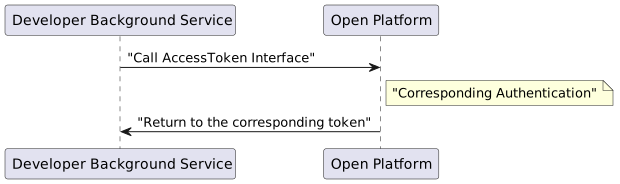
- Obtain the administrator token on the server. See accessToken.
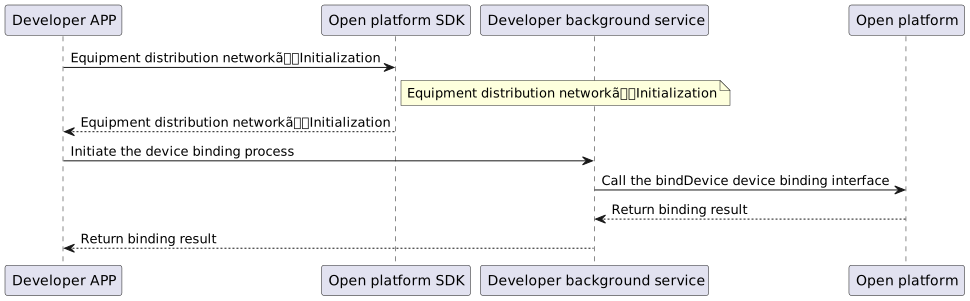
- Bind the device. A new device, or a device upgraded to a new program, may not finish binding through the HTTP
bindDevicecall alone. Use the client SDK as well. Follow the demo for the binding steps of each device version.
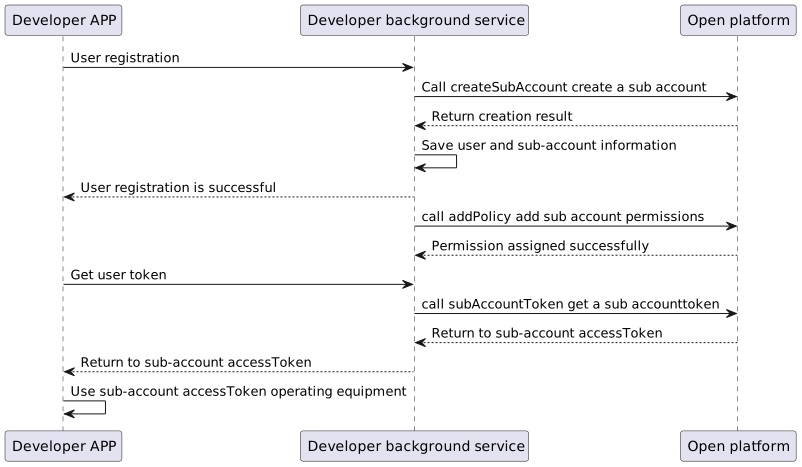
- Create a sub-account from the administrator account, then grant devices and permissions to that sub-account. Map the sub-account to a user in your app. See Sub-accounts and policies.
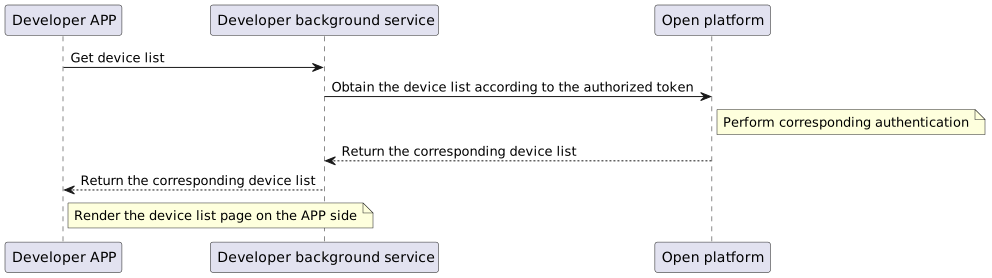
- After binding, sync the device list from the server with Device management (V2
device.detail.*).
- Preview does not call an HTTP playback API. Call the OpenSDK embedded in the app, and follow the SDK page and the demo.
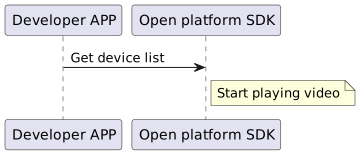
Client implementations
Preview, talk, and playback on Android and iOS follow each SDK page and demo. Privacy requirements are in the SDK privacy policy.
| Capability | Client (SDK / demo) | Server (HTTP) |
|---|---|---|
| Provisioning and device init | OpenSDK and the standard demo | Pre-bind probe, bindDevice |
| Live view, talk, local/cloud playback | Android / iOS guides and demos | Device management (lists, details, playToken, etc.); legacy HTTP in Legacy APIs |
| Alarm thumbnails and cover images | SDK decryptPic (see §9 in each SDK guide) | Encrypted URLs from alarm and record APIs |
| Browser playback | ImouPlayer light app | getKitToken and related APIs |
For wireless provisioning you can call SDK APIs directly or embed the Android LCDeviceAddModule from the demo (OpenSDK guide §3).