Build a desktop app
Build a desktop app
Scope and prerequisites
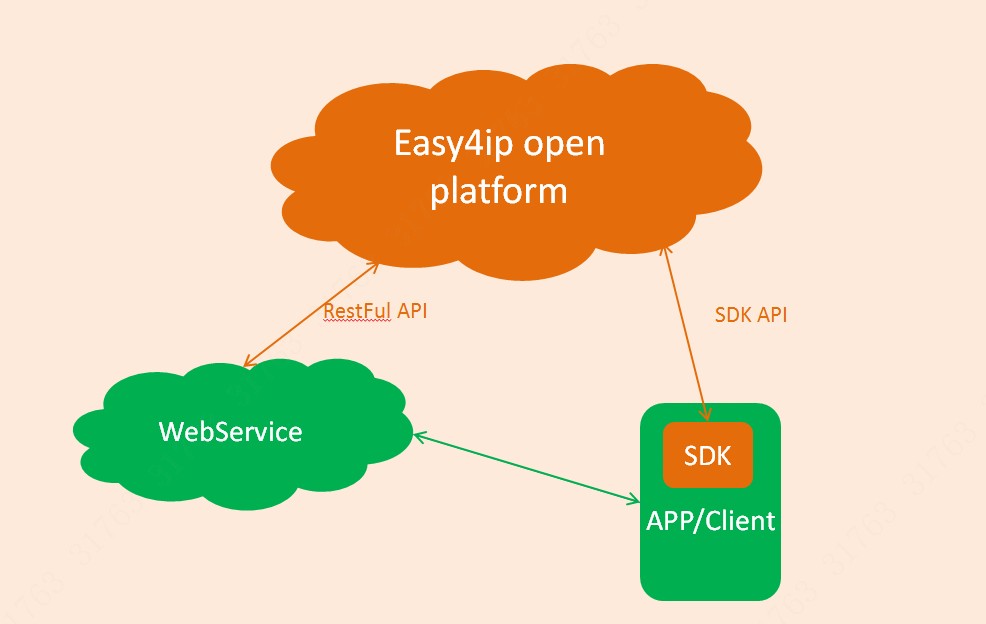
The desktop app reaches the platform through your cloud. Use the PC OpenSDK and the demo for audio and video playback. Call HTTP APIs from your server for the account, device management, and alarm queries. Keep provisioning, device initialization, playback, and image decryption in the client SDK.
The package includes IDE setup instructions. See Downloads and the Experience demo. The demo startup page accepts an AppId and AppSecret so you can try administrator mode on your machine. A shipped app must not contain the AppSecret. Request the token on the server.
Steps
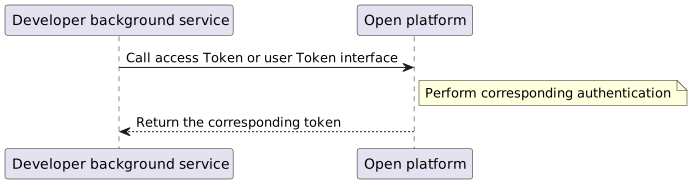
- Obtain the token on the server. See accessToken.
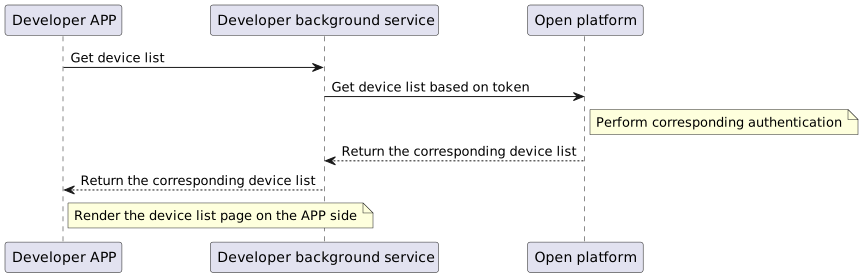
- After the device is bound, sync the device list with Device management (V2
device.detail.*).
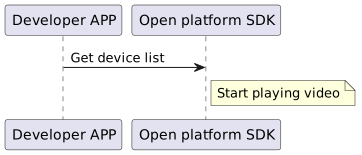
- Preview does not call an HTTP playback API. Call the PC OpenSDK inside the app, and follow the SDK notes and the demo.
Client implementations
The diagram below is the architecture. Playback follows the demo project.